Transparent GIF vs Animated WebP: Which Should You Use?
Last updated: · Written by the RenderAlpha team
Both formats animate. Both can show nothing behind the subject. But they store transparency in fundamentally different ways, and the difference is visible on every soft edge — we exported the same clip both ways and measured what changed.
Short answer
Use animated WebP when the destination renders it and edge quality matters: it carries a full 8-bit alpha channel, so soft edges survive. Use GIF when the destination only accepts GIF — chat stickers, older Safari — and accept strictly on/off transparency. In our one measured export (48 frames, 640×360), WebP came out 43% smaller and kept every semi-transparent pixel; GIF flattened all of them. One sample, not a law.
What "transparent" means in each format
GIF transparency is a switch, not a scale. MDN’s image format guide describes it exactly: "Pixels are opaque, unless a specific color index is designated as transparent, in which case pixels colored that value are entirely transparent." One palette index is either fully visible or fully gone — there is no 75% opaque, and a pixel that is halfway into the background must choose a side. GIF color is a palette too: each frame addresses at most 256 indexed colors.
WebP carries a real alpha channel. MDN lists lossless WebP at "8-bit ARGB color" with alpha as a per-pixel component, and confirms "WebP also supports animation … Looping is supported." A pixel can be 25% opaque, 63%, anything in 256 steps — which is what an anti-aliased edge actually is. If the alpha channel itself is new to you, what a video alpha channel contains covers it pixel by pixel.
One clip, two exports, the numbers
We took one transparent 24 fps clip from our seed media (a subject with genuinely soft edges — 3.14% of frame 12 is semi-transparent), exported the same 48 frames at 640×360 both ways, and measured the results. WebP: Pillow 11.3.0 (libwebp), lossy quality 75, 8-bit alpha kept as-is. GIF: the standard two-step route GIF exporters take — alpha binarized at threshold 128, then a 256-color median-cut palette. Full parameters and the build script are in our source tree (seed/demo-sources/gif-vs-webp/), so every number here is reproducible.


| Measured on the same 48 frames | Animated WebP | Transparent GIF |
|---|---|---|
| File size | 745,134 bytes | 1,299,318 bytes (74% larger than the WebP) |
| Semi-transparent pixels, frame 12 | 3.14% — identical to source | 0.00% (all binarized) |
| Opaque / transparent split, frame 12 | 29.46% / 67.40% (matches source) | 30.83% / 69.17% (re-drawn by the threshold) |
| Distinct colors on frame 12 | lossy q75 (not palette-limited) | 106 of max 256 |
| Frames / duration read back | 48 / 2.0 s | 48 / 2.0 s |
One sample, not a law
One clip at one size with one quality setting each — that is what we measured, and the only claim these numbers support. We did not run a corpus of exports, so we cannot promise WebP is always smaller for your content; heavy film grain or different quality knobs can flip it. What generalizes is the mechanism: binarizing alpha destroys semi-transparent pixels by definition, and a 256-color palette quantizes color. The size gap is what happened here.
What the edges look like at 4x
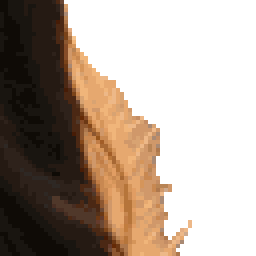
Below is the same 64×64 patch of frame 12 — the busiest soft edge we could find automatically — from both exports, magnified 4× with nearest-neighbor so no resampling hides anything. Read them side by side: the WebP crop keeps the feathered band intact, while the GIF staircase is not the exporter’s fault — it is the format. Any diagonal or curved edge drawn without intermediate alpha values produces exactly these steps, and the color jumps next to them are the 256-color palette quantizing tones that used to blend. This is the same reason a cutout’s softest regions — hair, motion blur — are where straight-versus-premultiplied fringes also show up first: everything interesting happens in the in-between pixels.

Where each format is actually welcome
Compatibility is the one axis where GIF still wins outright. MDN’s guidance on WebP support: "On Safari for macOS, WebP support depends on both Safari and macOS versions. You need Safari 14 or later as well as macOS Big Sur (11) or a more recent version." GIF needs no such footnote — it renders everywhere images render.
Upload destinations tilt the same way. Slack’s help center, for example, lists custom emoji images as "JPG, PNG, or GIF format" — animated GIFs explicitly allowed up to 50 frames — and WebP is not on the list. If your sticker must go through a chat platform, a docs system, or an uploader you do not control, GIF is the conservative answer even with its hard edges.
Where you control the page, animated WebP drops into any <img> tag and behaves like an image. What it does not give you is video behavior: seeking, timed playback, a duration you can query. When you need those — or a transparent overlay for OBS and editors — the next step from this comparison is a transparent WebM, which is a real video format with real alpha.
Check your own file in two minutes
You do not have to take our sample’s word for it. Every step below runs in your browser on your own footage, free, with nothing uploaded to a server:
- Have a video clip? Make a transparent GIF from it in your browser and watch which edges survive — the tool shows the result before you download anything.
- Already have a transparent GIF? The free GIF to transparent WebM converter re-encodes it locally with the transparency verified frame by frame; it will not invent semi-transparency your GIF never had (that limit is the format’s, not the tool’s).
- Suspicious of a transparent video instead of an image? The transparent video checker plays it over checkerboard, black and white backgrounds so a flattened or binarized edge is impossible to miss.
- Either way, place the result on the exact background it will ship on. A hard GIF edge that looks fine on white can look cut-out on dark UI; why a transparent video stops being transparent covers that class of surprises.
What we did not test
This page does not claim WebP always beats GIF on size — one 48-frame sample is one sample, and we list its full parameters precisely so you can see how narrow it is. We did not measure WebP color fidelity (quality 75 is lossy; we verified alpha, not RGB error). We did not test APNG, which MDN documents as supporting 8- and 16-bit alpha — it gets its own comparison. And this site does not export animated WebP: our tools produce transparent GIF and transparent WebM. Of the two formats on this page we can only produce the GIF side ourselves — the WebP here is a measurement target, not a product we ship.
Frequently asked questions
Is a transparent GIF actually transparent?
Partly. Its transparency is a single on/off switch per palette color — MDN describes pixels as either entirely transparent or opaque. Anything semi-transparent in the source becomes one or the other during export, which is why GIF cutouts have hard edges.
Which one is smaller, GIF or WebP?
In our single measured export, WebP was 43% smaller (745 KB vs 1.30 MB for the same 48 frames at 640×360). We are not generalizing: content, dimensions and quality settings all change the answer. Measure your own file both ways before committing.
Can I convert between GIF and WebP?
We offer one direction locally: the free GIF-to-transparent-WebM converter turns an existing transparent GIF into a transparent WebM in your browser. This site does not produce animated WebP, and we do not offer a WebP-to-GIF path.
Do all browsers play animated WebP?
Modern Chrome, Edge, Firefox and Safari do; the caveat is older Apple setups — MDN notes WebP needs Safari 14 or later on macOS Big Sur (11) or newer. GIF is the safe baseline where you cannot verify the viewer.
Should I skip both and use transparent WebM?
If the asset is really a video — overlays, seekable playback, longer durations — yes, start with create a transparent WebM. For stickers and small looping art that must behave like an image, animated WebP or GIF is the right class of format.
Sources
Primary sources we checked. The date is when we last opened each page.
- MDN Web Docs: Image file type and format guide: GIF 1-bit transparency wording, WebP 8-bit ARGB and animation support, Safari 14 / macOS Big Sur requirement, APNG alpha depths — quoted 2026-11-21 (Retrieved )
- Slack Help Center: Add custom emoji and aliases to your workspace: "Images can be in JPG, PNG, or GIF format"; animated GIFs up to 50 frames — checked 2026-11-21 (Retrieved )